
A pantry inventory app for your whole kitchen.
Know what’s on the shelf before you buy it again. FridgeWise keeps your fridge, freezer, and pantry in one place, with freshness estimates to help you decide what to use next.


Free to download. Available on iOS and Android.
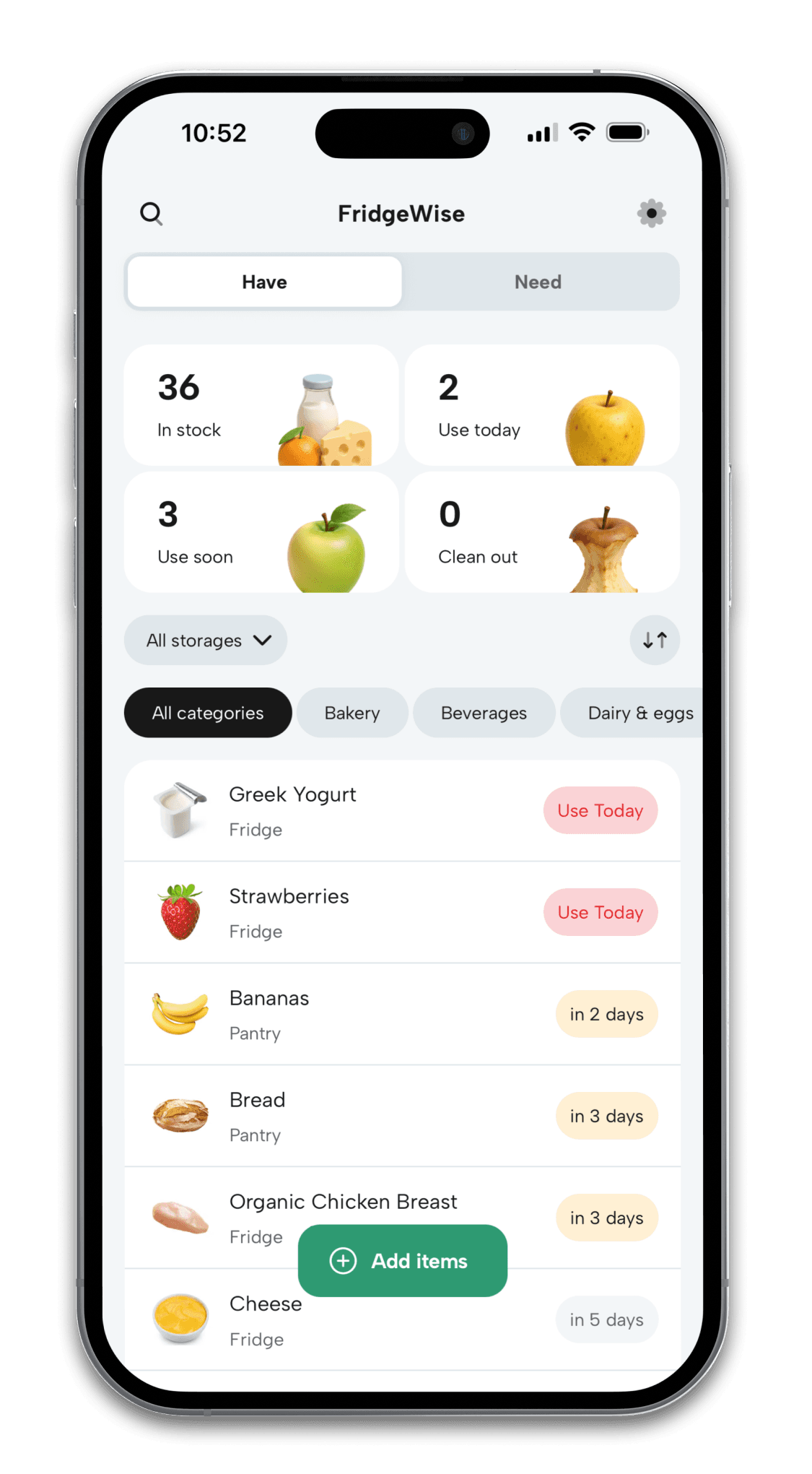
See what you already have
Check your pantry and fridge inventory at home or while you’re shopping.
Spend less time adding items
Start with a receipt, grocery photo, shopping list, or barcode.
Give forgotten food a chance
Bring groceries that need attention into view with Use Today and Use Soon.
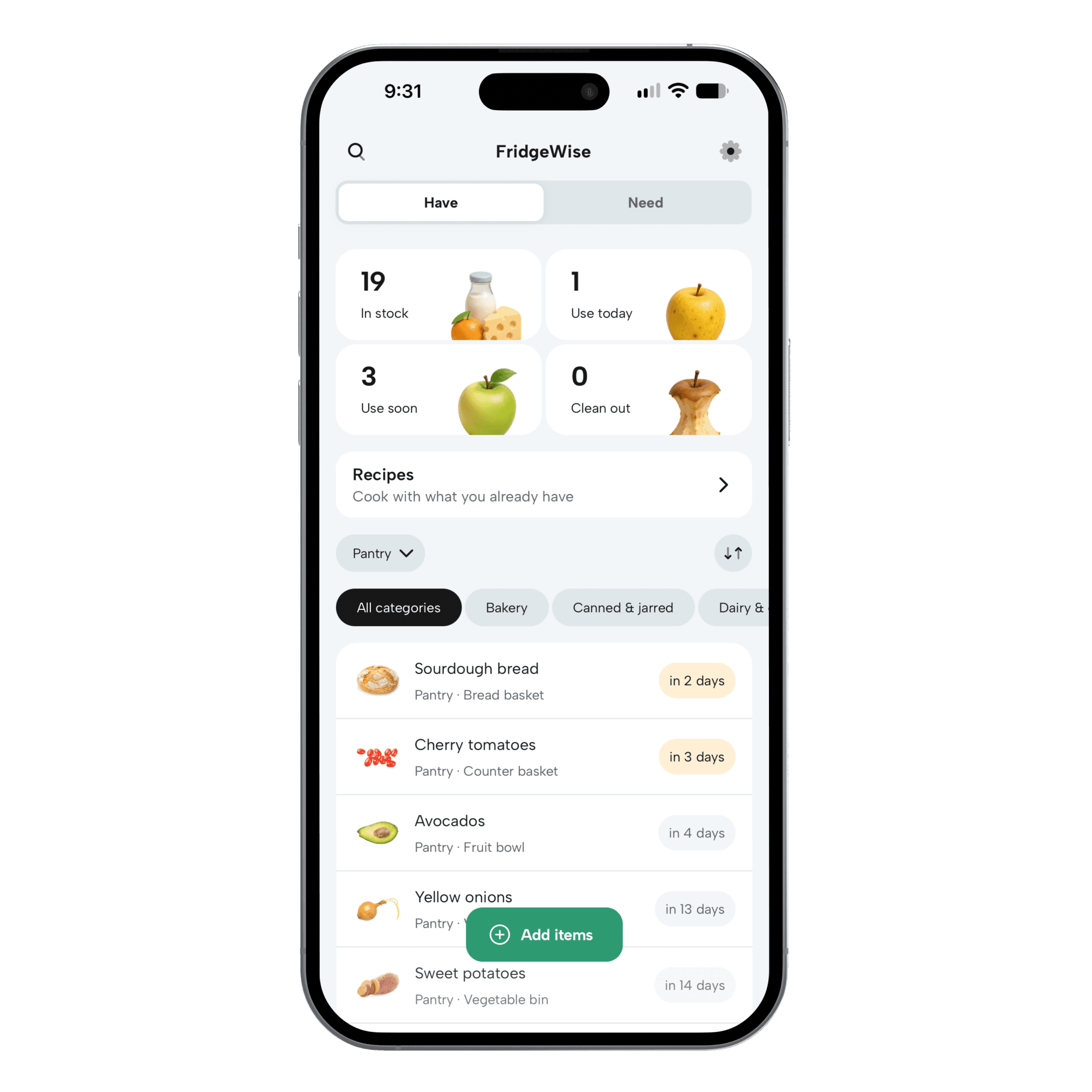
A place for everything
From the pantry shelf to the back of the freezer.
A useful inventory tells you more than what you bought. It helps you find it again, keep it up to date, and make room for the next grocery run.
Organize by where food lives
Filter your inventory by fridge, freezer, or pantry. Add shelf or bin labels for a more specific spot, and create extra storage locations with Premium.
Keep up as your kitchen changes
Edit details, move food to another storage, or mark items as consumed as you use them. Everyone in your household can work from the same inventory.
Choose how you track freshness
Review and edit estimated use-by dates, enter a package date yourself, or turn off freshness tracking for an item. App estimates are guidance, not guaranteed expiration dates.
How it works
Build an inventory you can keep up with.
Add your groceries
Scan a receipt, photograph a grocery haul, or import a shopping list. Use barcode scanning or manual entry when you’re adding one item.
Review the details
Check the recognized foods, choose where they belong, and review their use-by timing before saving them to your inventory.
Check before you shop
Look up what’s already in your kitchen, mark what you’ve used, and add what you need to your shared Grocery List.
Can I track my fridge and freezer as well as my pantry?
Yes. FridgeWise includes Fridge, Freezer, and Pantry storage locations. View everything together or filter to see just your freezer inventory when planning a meal. Premium lets you create additional locations, such as a garage freezer or a second pantry.
Do I need to enter every grocery by hand?
No. Smart Import recognizes foods from a receipt, grocery photo, or shopping list. You review the results before saving. Barcode scanning and manual entry are also available for individual items.
Does the app know exactly when food expires?
No. App-generated dates are freshness estimates based on details such as food type, storage, and when the food was bought or opened. You can review and change them, enter a date from the package, or choose not to track freshness for an item.
Can my household share a pantry inventory?
Yes. Invite the people you live with to your FridgeWise household. Members share the same inventory, storage locations, and Grocery List, while each person keeps their own reminder settings.
Is the pantry inventory app free?
FridgeWise is free to download. Basic includes inventory tracking and freshness reminders, with limits on active items and Smart Imports. Premium adds unlimited inventory tracking and Smart Imports, plus custom storage locations. Current allowances and pricing are shown in the app.
Know what’s in your kitchen.
Start with your next grocery trip. Add what you bought and give every item a place.